

Auto-fill and auto-apply to jobs. Type each answer once.
LikeRemote for Chrome fills in your details, attaches your CV and learns each new question once, on 30+ hiring systems and on LinkedIn Easy Apply.
The LikeRemote autofill extension is a Chrome extension that auto-fills and auto-applies to job applications from one saved profile, on 30+ hiring systems such as Workday, Greenhouse, Lever and Ashby, on LinkedIn Easy Apply and on custom application forms, and it has a free plan.
What it does
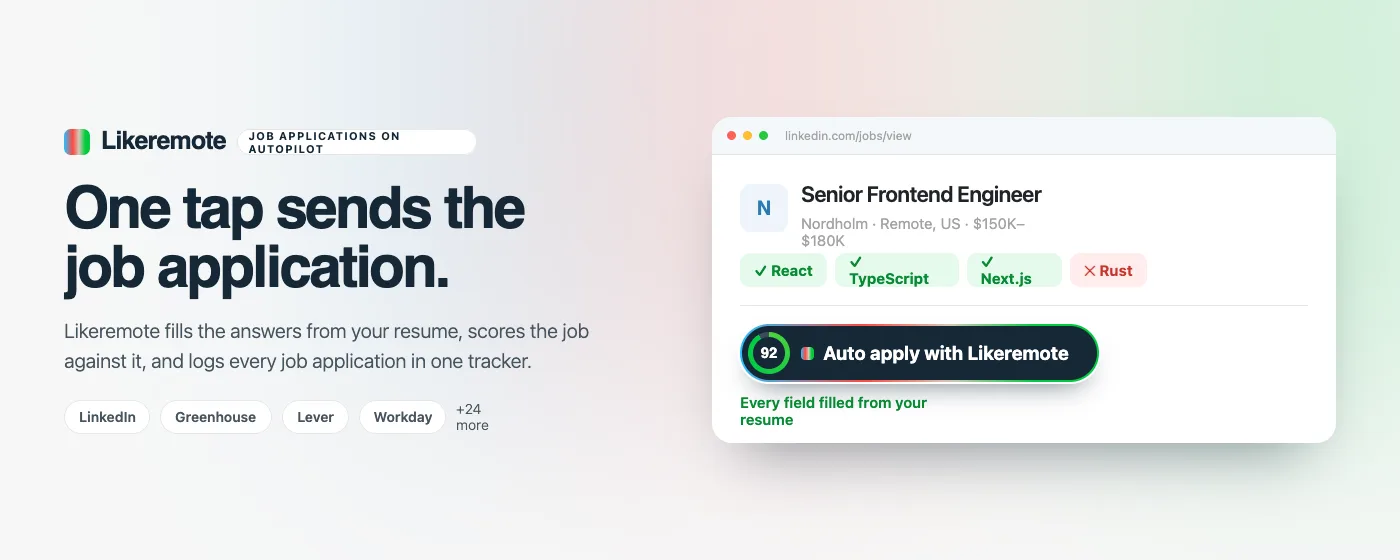
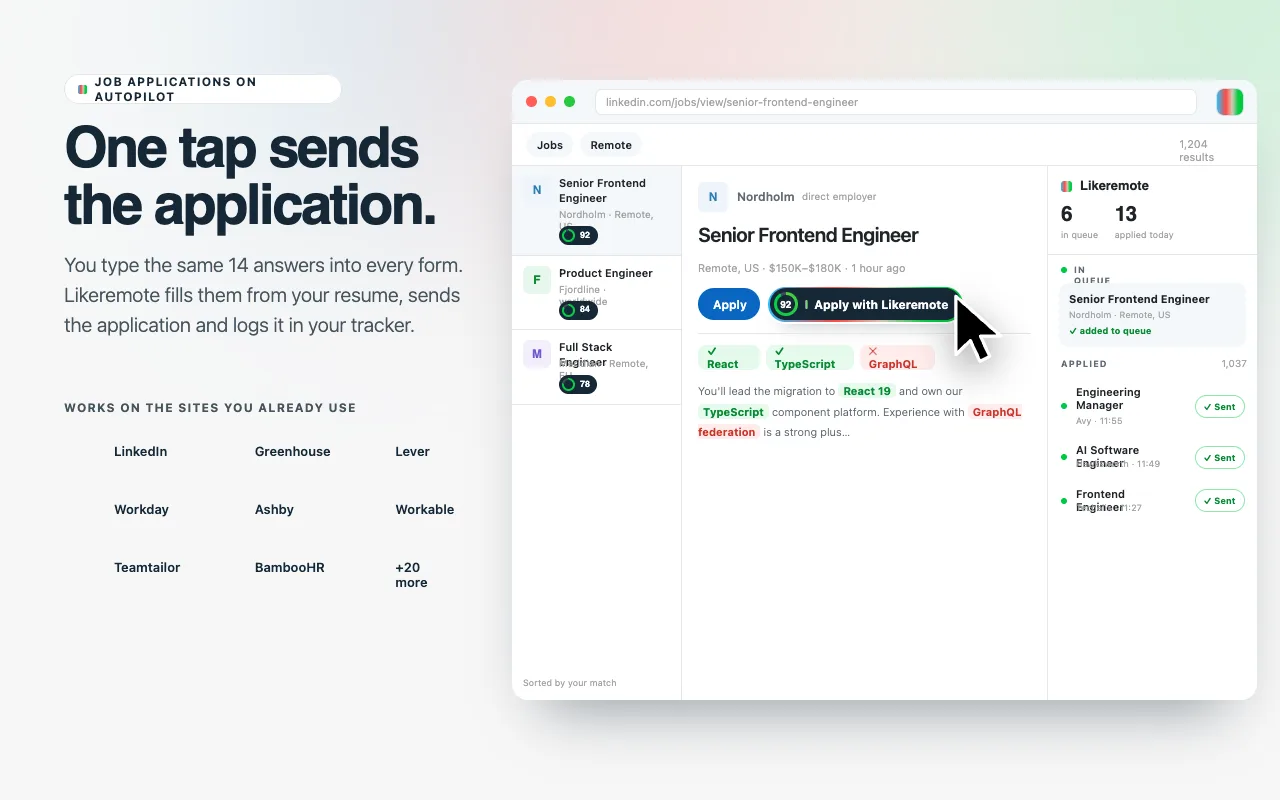
- Fills the form: your name, contact details, links, work history and the screening questions you have answered before.
- Attaches the CV and cover letter you saved on your account.
- Learns as you go: a question it has not seen is asked once, in the panel, and your answer is reused the next time a form asks it.
- Shows how well each job matches your profile, on the posting itself.
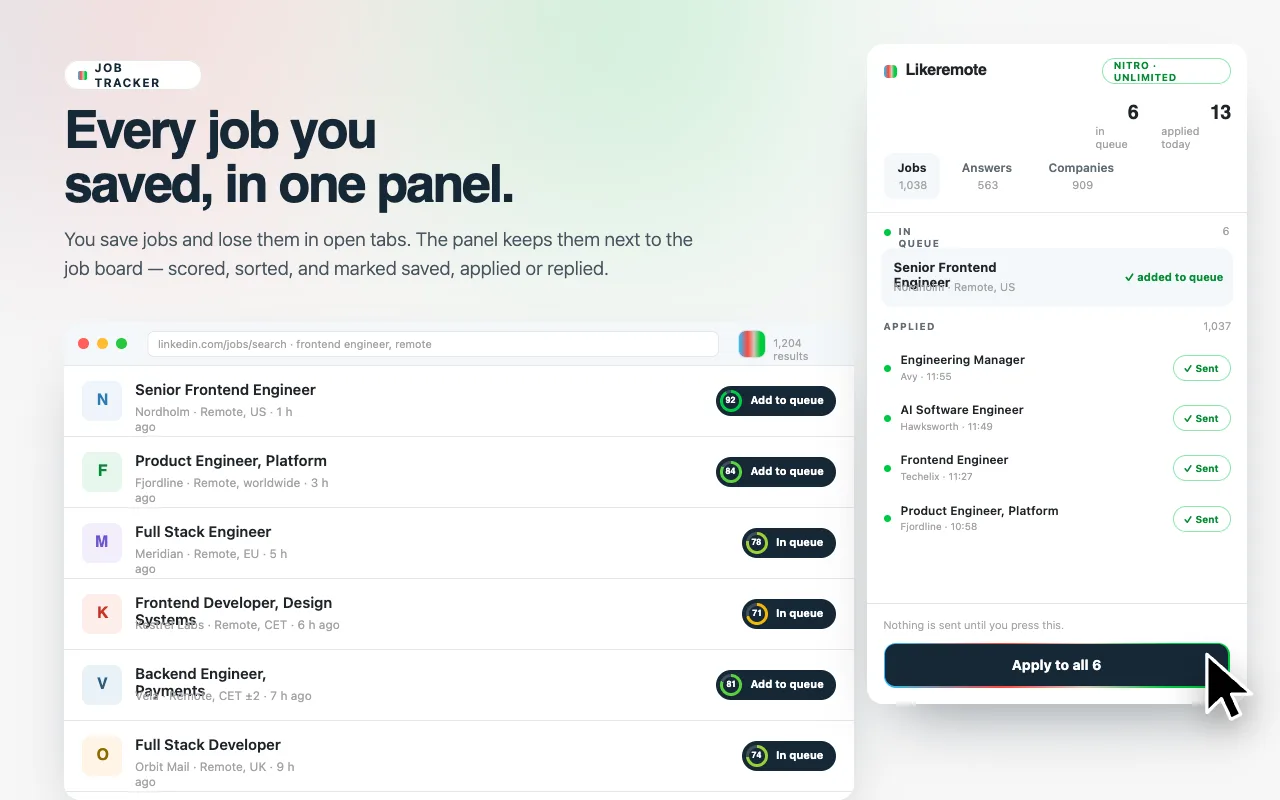
- Keeps a list of where you have applied, so the same posting does not come round twice.
How it works in four steps
- Install the extension from the Chrome Web Store and sign in to your LikeRemote account.
- Save your profile, CV and cover letter once on likeremote.com.
- Open a job application. A panel opens beside the form.
- LikeRemote fills in the form, attaches your CV and shows what it filled and what still needs you.
LinkedIn Easy Apply
Add the postings you want to a queue and start it. The queue works through them one at a time, pauses between them and types like a person. Nothing runs until you start it, and Stop ends it.
30+ hiring systems, including
- Workday
- Greenhouse
- Lever
- Ashby
- Workable
- SmartRecruiters
- iCIMS
- Personio
- TeamTailor
- Recruitee
- BambooHR
- Breezy
- Jobvite
- JOIN
- Rippling
- Paylocity
- Oracle
- SAP SuccessFactors
- UKG Pro Recruiting
- Oracle Taleo
- IBM Kenexa BrassRing
- Dayforce
- ADP
- Avature
- Softgarden
- JazzHR
- Manatal
- Pinpoint
- Gem
- Zoho Recruit
- Leapsome
- Teamdash
- Traffit
- Jobylon
- Spark Hire
- Bob Hiring
- Talent Recruiter
- Heyrecruit
- isolved Applicant Tracking
- Candidate Career Cockpit
- Aplitrak
- HiringThing
- Dover
- Gusto Hiring
- CATS
- RippleHire
- CareerPlug
- ClearCompany
- GoHire
- Trakstar Hire
- JobDiva
- Freshteam
- TriNet Hire
- JobScore
- Polymer
- Recruiterflow
- Kula
On any other careers page you can switch the filler on for that one site.
Your data and privacy
- Chrome asks for access to all websites when you install, because careers pages live on thousands of domains. Having access is not acting on it: the filler runs only on the hiring systems it supports and on sites you switch on, one at a time.
- The extension runs no code it downloads.
- Your profile, answers and CV are kept in your browser and on your account. We do not sell your data and do not use it for advertising.
- What reaches likeremote.com: the applications you make, the answers you teach it, the companies you block, and a star rating if you give one, with the page address and your browser and extension version.
- A problem report also sends your most recent jobs and the answers typed into them. It is sent only when you press Send, and the form says so above the button.
The full policy is on the privacy policy page. There is a free plan. Paid plans are on the pricing page. LikeRemote is not affiliated with or endorsed by the sites it works on. See the plans.
Frequently asked questions
Is the LikeRemote autofill extension free?
Yes, the LikeRemote autofill extension has a free plan. You can install it from the Chrome Web Store and try it without paying, and the paid plans on the pricing page add more.
What does auto-fill mean?
Auto-fill means the extension types your saved details into an application form for you. It fills your name, contact details, links, work history and the screening questions you have answered before, attaches your CV and cover letter, and shows what it filled and what still needs you.
Is it safe to give the extension access to all websites?
Chrome asks for access to all websites at install because careers pages live on thousands of domains, but having access is not acting on it. The extension fills only on the hiring systems it supports and on sites you switch on one at a time, and it runs no code it downloads.
What does the extension do with my CV?
It keeps your CV in your browser and on your LikeRemote account and attaches it to application forms. We do not sell your data and do not use it for advertising. The cover letter works the same way: it is a file you saved, and the extension attaches it.
Which hiring systems does it work with?
It works with 30+ hiring systems, including Workday, Greenhouse, Lever, Ashby, SmartRecruiters, iCIMS, Personio, Teamtailor and Recruitee, and with LinkedIn Easy Apply and custom application forms. The names are listed on this page, and on a careers page it does not cover you can switch the filler on for that one site.
Can it autofill Workday applications?
Yes, the extension fills Workday applications from your saved profile and attaches your CV. Workday is one of the 30+ hiring systems it supports.
Is LinkedIn Easy Apply automation safe?
The LikeRemote queue runs only when you start it, works through your postings one at a time with pauses between them, and Stop ends it. LinkedIn's own rules decide what is allowed on your account, so read them before you use any automation on LinkedIn.
Does LikeRemote track my job applications?
Yes, it keeps a list of the applications you make with it, so the same posting does not come round twice, and you can mark where each one stands in the interview process.
Is LikeRemote legit?
LikeRemote is a remote job board with a Chrome extension, run from likeremote.com, and the extension is listed on the Chrome Web Store. Its privacy policy and terms are published on the site, and the free plan lets you try it before you pay.
How does it compare with Simplify Copilot?
Simplify Copilot and the LikeRemote autofill extension are both Chrome extensions that autofill job applications from a saved profile; Simplify Copilot's own Chrome Web Store listing, read on 2026-09-10, also describes a job tracker and resume tools. LikeRemote comes with a remote job board of its own, shows how well each job matches your profile on the posting, and fills the hiring systems named on this page.